

Run open models
on your own GPU_
Chat, coding agents, speech and photo-to-3D on your own machine. No account, no monthly bill, and nothing you type ever leaves your computer.
Never run a model before? The ten-minute guide.
move your cursor · click it · leave it alone for a bit
Their cloud, or your machine.
Rented, watched, metered.
Yours, private, free.
✗Every prompt, file and line of code is sent to their servers, under your account.
✓Nothing leaves your machine. There's no server to send it to, and no account.
✗Your conversations can be used to train their next model, unless you find the opt-out.
✓Your data trains nothing. It's a file on your own disk.
✗Chats are stored on their side, where reviewers and legal requests can reach them.
✓The only copy is yours. Delete it and it's gone.
✗$20 to $200 a month, or a per-token bill that grows with every agent loop.
✓Free. Leave an agent running all night and you pay for the electricity.
✗Rate limits and usage caps, usually right in the middle of something.
✓No caps, no queue, no “try again in 3 hours”.
✗Down when they're down, and nothing at all without internet.
✓Works on a plane, in a cabin, during an outage.
✗They can swap, water down or retire the model whenever they like.
✓Open weights: the model you downloaded stays exactly as it is.
The open models are good now: Qwen, Llama, Gemma, DeepSeek, gpt-oss. They run on the card you already own.
Take it localTerminal or app. Same engine, same models.
One line to install.
Needs Node.js 18+ and nothing else. It finds your llama.cpp and sizes every model to the VRAM you have.
curl -fsSL https://arcflare.net/install.sh | sh- 01
arcflare shoppick a model that fits your GPU - 02
arcflarechat with it - 03
arcflare agenta coding agent, all local
Or get the app.
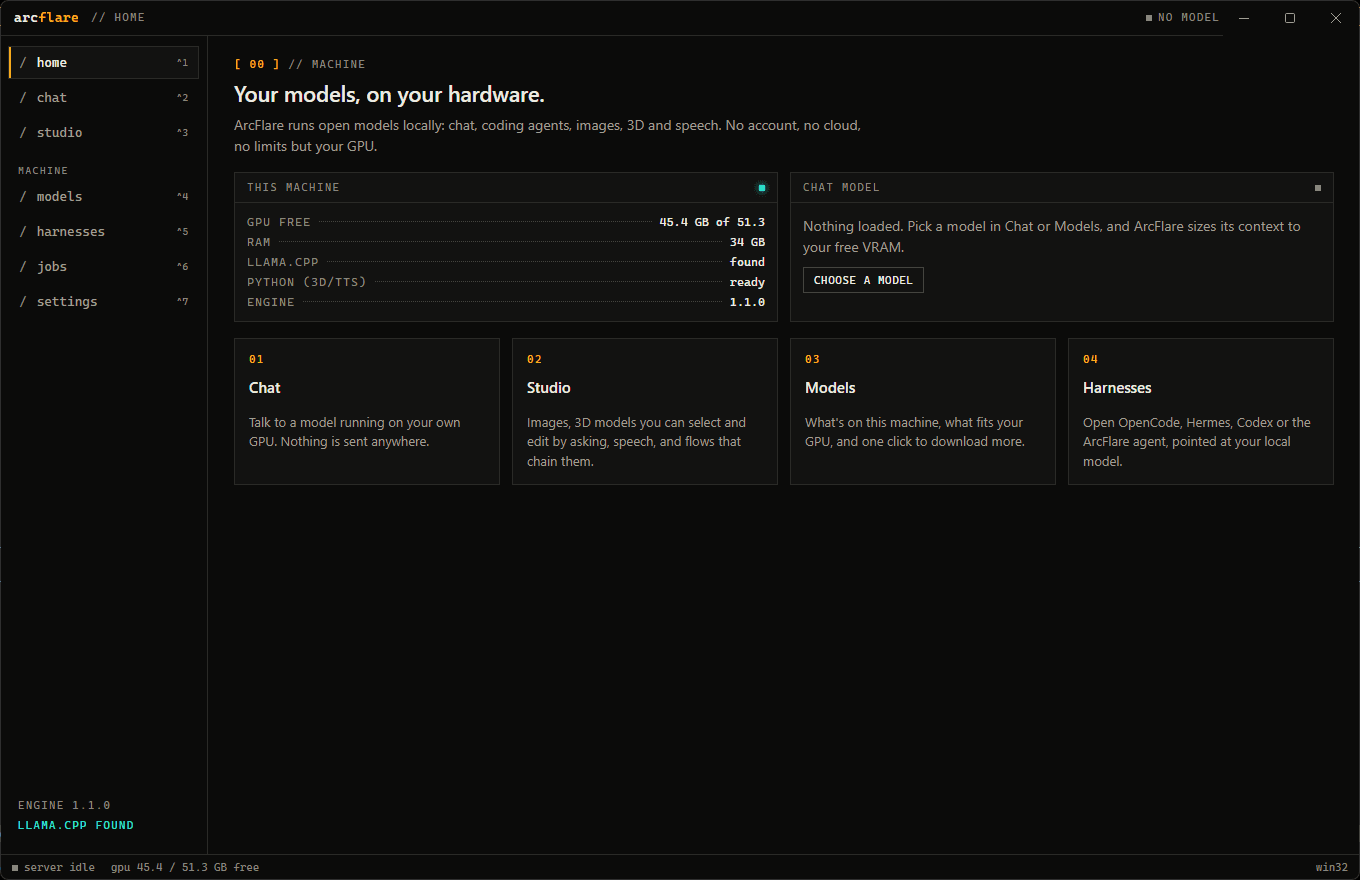
Chat, a studio for images, 3D and speech, and one-click coding agents. Windows, macOS and Linux.
Free, MIT licensed, no account. All releases and notes · Source
Not just a chatbot.
Chat and code
A coding agent with tools, MCP and skills, or OpenCode, Hermes and Codex pointed at your model.
❯ arcflare agent3dPhoto → 3D
One picture in, a .glb out for Blender or Godot. No upload, no credits.
❯ arcflare gen 3d chair.pngspeechSpeech
Natural voices, tone control and cloning from a short clip, in ten languages.
❯ arcflare gen tts "hi"remoteFrom your phone
Scan a QR code and use your machine from anywhere. The model stays home.
❯ /rcWhat runs on what.
04 GB
any laptop, even the CPU
08 GB
RTX 3060 Ti · 4060 · base Macs
16 GB
RTX 4060 Ti 16G · 4080 · 5070 Ti
24 GB
RTX 3090 · 4090 · 7900 XTX
64 GB
workstations · 64 GB Macs
64+ GB
128 GB Macs · servers
Questions, answered.
Something missing? Read the beginner's guide or ask us.
What is ArcFlare?
ArcFlare is a free, open-source tool for running AI models on your own computer. It comes as a command-line tool and a desktop app for Windows, macOS and Linux, and covers chat, coding agents, image-to-3D and text-to-speech, using llama.cpp under the hood.
Is ArcFlare free?
Yes. ArcFlare is MIT licensed, has no account, no subscription and no per-token cost. The models it runs are open-weight models with their own licenses, listed on each model page.
Does anything I type leave my computer?
No. Models run on your own GPU or CPU, and ArcFlare has no telemetry. It only goes online to download models you choose, check for updates, and relay remote control when you turn it on.
What hardware do I need?
Any recent PC or Mac works. Small models run on a CPU with 8 GB of RAM; a GPU with 8–16 GB of VRAM runs strong chat and coding models; Apple silicon Macs use their unified memory. ArcFlare checks what fits before it downloads or loads anything.
Do I have to use the terminal?
No. ArcFlare Desktop does everything in a window: pick a model, chat, generate images, 3D and speech, and open coding agents. The CLI is there if you prefer it, and both share the same models.
Which coding agents does it work with?
OpenCode, Hermes, Codex and ArcFlare's own agent, all pointed at your local model with one command. ArcFlare can also update them with arcflare harness update.
Can I use it from my phone?
Yes. Type /rc in a session and open the link on your phone, from any network. You can read along, send messages and approve tool calls, while the model and your files stay on your machine.